
Multi-drop breakout boxes
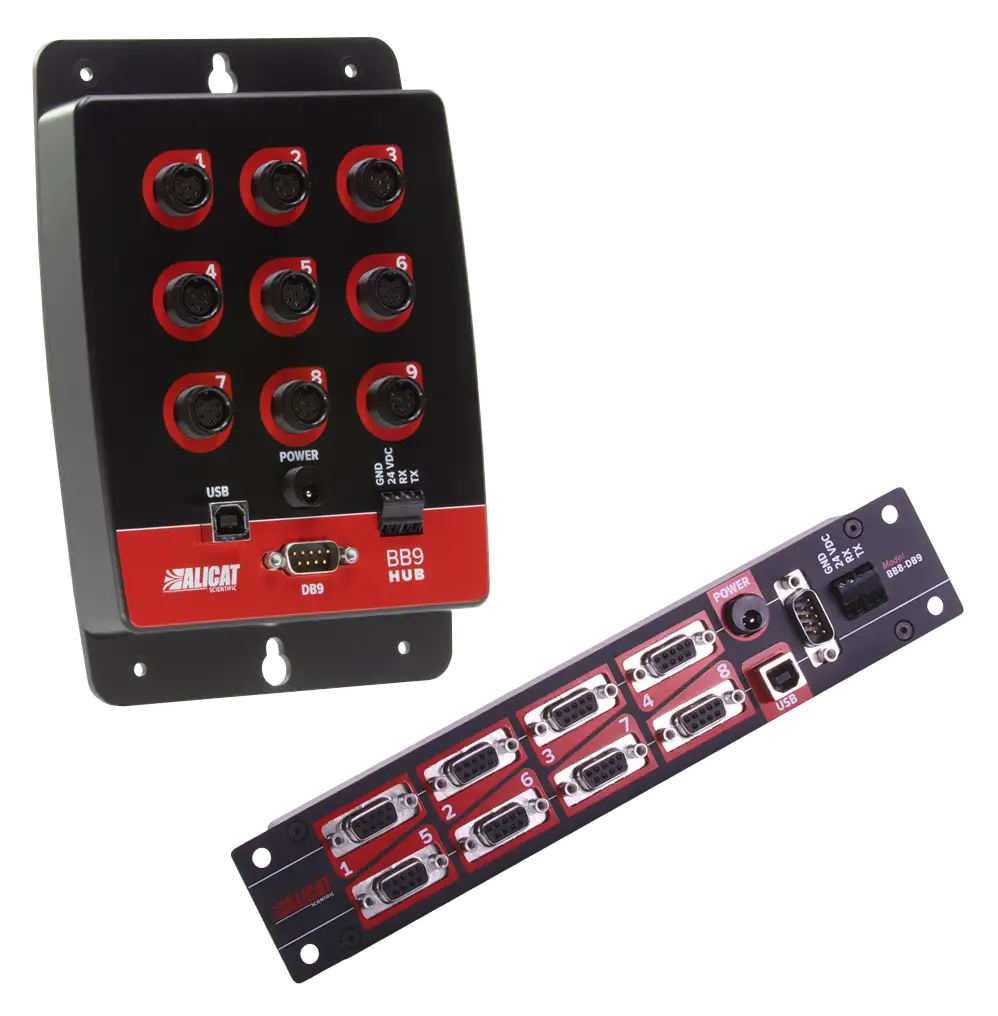
Use multi-drop breakout boxes to power and control up to three, eight or nine Alicat flow or pressure instruments using a single power source and computer or PLC.
- Communicate with all devices digitally via a single USB or serial cable.
- Distribute power to all devices with a single power source.
- Multiple breakout boxes can be daisy-chained to control up to 26 instruments.
- Mount in any orientation using 3/16″ diameter mounting holes.
Breakout box options
- BB9-232: Connects up to (9) 8-pin RS-232 units, 9-pin serial port and USB to PC
- BB9-I-232: Connects up to (9) 6-pin industrial RS-232 units, 9-pin serial port and USB to PC
- BB8-DB9: Connects up to (8) 9-pin D-Sub ports, 9-pin serial port and USB to PC
- BB3-232: Connects up to (3) 8-pin RS-232 units, 9-pin serial port and USB to PC
- BB3-I-232: Connects up to (3) 6-pin industrial RS-232 units, 9-pin serial port and USB to PC
Communications
- USB 2.0 (cable included)
- RS-232 9-pin serial port (cable included)
- Terminal block transmit and receive sockets (RX/TX)
Power
Connected devices receive power from the breakout box’s common power bus. Power connected at any point in the system is distributed to all devices.
- Connect a PVPS24U power supply (not included) to the barrel-type power jack (max 2 amps) or to any instrument to distribute power to the rest (max 2 amps).
- Free wire power to the breakout box’s terminal block power and ground sockets (max 10 amps).
Breakout kit options
Any of our breakout boxes can be purchased as a kit with all the needed accessories:
- Breakout box of your choice (BB3, BB8, BB9)
- 1x PVPS24U 1A 24Vdc power supply to power the connected devices
- Note some combinations of devices may require a different power supply. Please contact Alicat support for details.
- All required device cables to connect your Alicat devices to the breakout box
- 1x USB‑B to USB‑A cable
- 1x 9 pin RS‑232 Serial cable

Purchase Now*
*Available in CA, US, MX. If your country is not available, or you’re looking for faster shipping, contact us for more options: +1-888-290-6060 or via email at [email protected].
Alicat accessories are available in our online shop.
Service and Support
Whether it is time for your instrument’s annual recalibration or your instrument needs a repair or upgrade, you can fill out the Service Request Form below, email us, call us, or start a live chat session to get the service process started.